Make your product data ready for AI shopping agents
AI shopping agents read your product feeds and structured data. What ChatGPT and Google require, the gaps most catalogs have, and what to fix first.
- Written by
- Profitonium team
- Published
- Reading time
- 3 min
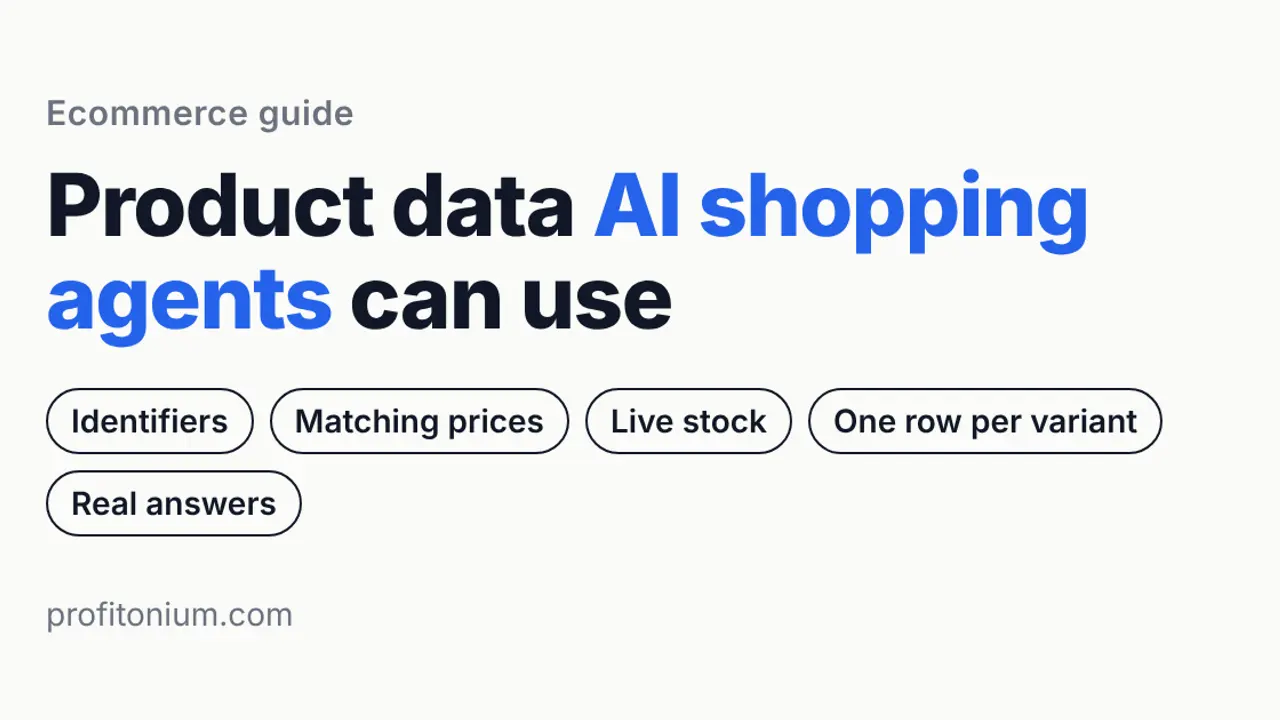
AI shopping agents read your product data from feeds and from the markup on your product pages. If a detail is missing, or your feed and your page disagree, the agent has nothing reliable to work with, so make your product data complete and consistent first.
This guide sticks to what OpenAI, Google and Stripe publish. Nobody outside those companies knows exactly how their agents rank products, and OpenAI's own docs say being eligible doesn't guarantee a product is shown.
What do AI shopping agents read?
Mostly your feed data. OpenAI says ChatGPT can use product feeds plus other retail and public web sources to find products, and your live site still checks the current offer when a customer acts. Google says its AI answers can include product listings, and that Merchant Center feeds help products show up there.
That's what people mean by agentic commerce: software that searches, compares and sometimes buys for a shopper.
What you can skip: Google says you don't need llms.txt or special AI markup for its AI features. Normal product structured data still matters, because Google uses it to check your prices.
What does a ChatGPT product feed need?
OpenAI's product feed schema asks for one row per item or variant, with 11 required fields: item_id, title, description, url, brand, seller_name, image_url, availability, price, target_countries and store_country. Standard uploads currently reach US shoppers only. You start in ChatGPT's Business Hub, verify your identity, then send a file, a hosted URL or an SFTP upload.
Two rules matter. A missing or unrecognised availability value rejects the row. And placeholder text like "n/a" or "null" isn't allowed, so leave an unknown optional field empty.
The optional fields make a product comparable: GTIN, material, color, size, dimensions, shipping price, returns and review counts.
Product feed optimization: five gaps to fix first
- Missing identifiers. Google says products that have a GTIN but are sent without one may have limited visibility. Never guess a GTIN or put your internal SKU in that field. If you make the product yourself, you're the manufacturer: use your store name as the brand and your own part number as the MPN.
- Prices that don't match. The price in your feed, on your page and in your structured data must be identical. Google reads the price in your page's HTML as it loads, so a price that JavaScript fills in later can trigger a mismatch.
- Stale stock. Stripe's agentic commerce docs say agents may keep reporting a product as unavailable until they receive an update. In most cases Stripe suggests sending inventory and prices about every 15 minutes.
- Variants squeezed into one row. OpenAI wants each size or color in its own row, with its own price, stock, URL and image, tied together by a shared group ID.
- Empty attributes. Material, capacity, size, compatibility: if it isn't in a field, an agent can't filter on it.
Does Google's AI Mode need the same data?
Mostly, plus a few new fields. In May 2026 Google opened six conversational attributes to retailers globally: question and answer, document link, related product, item group title, variant option and popularity rank. They're optional. Google recommends a supplemental data source for them and says they won't affect product approval.
The question and answer field takes up to 30 pairs per product. Use questions customers really ask in emails and reviews. You don't need to repeat details already in your description or product highlights.
What does a fixed product record look like?
Here's one record before and after, for a demo product we made up.
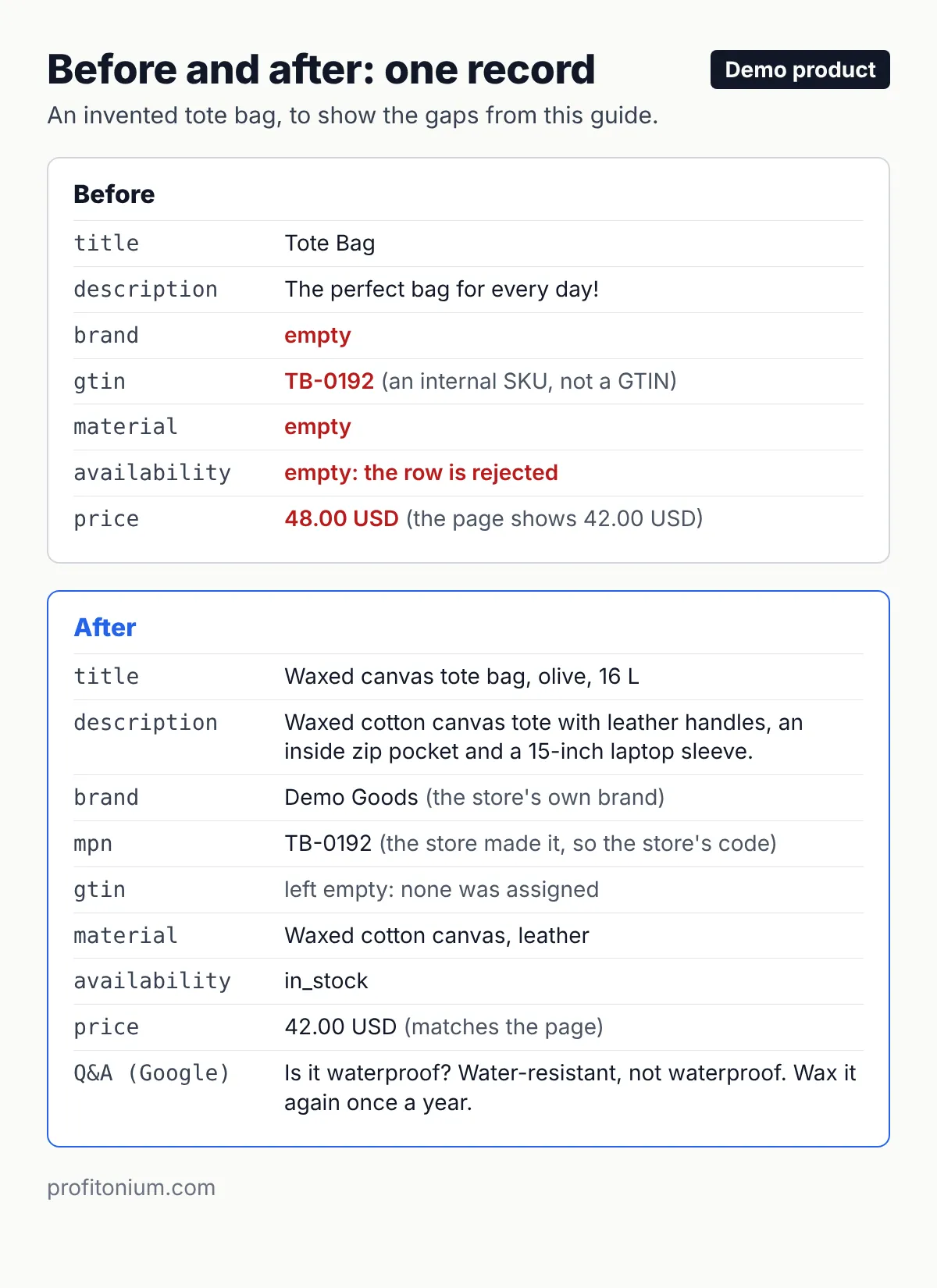
The "after" row has no GTIN on purpose. The bag is the store's own design, so it gets the store's brand and its own MPN. The price matches the page, and the answer is honest about what the bag can't do.
What to fix first
- Start with your best sellers. Fix 50 products properly before the long tail.
- Take identifiers from the packaging or the manufacturer. Blank beats a guess.
- Open Merchant Center's Needs attention tab, find the price mismatches, and fix them where the price lives.
- Split variants into their own rows.
- Add the attributes shoppers filter by, then a few real questions and answers.
- Track the result in Search Console's Generative AI performance report. If you sell in Australia, Canada, India, New Zealand or the US, also check Merchant Center's AI performance insights, which Google announced in May.
On a large catalog this is bulk work: export, fix one column at a time, re-import.
Not sure where your store stands? Get our SEO audit report for your Shopify store.
Want this done for your catalog?
Book a call and tell us about your store.